Introduction
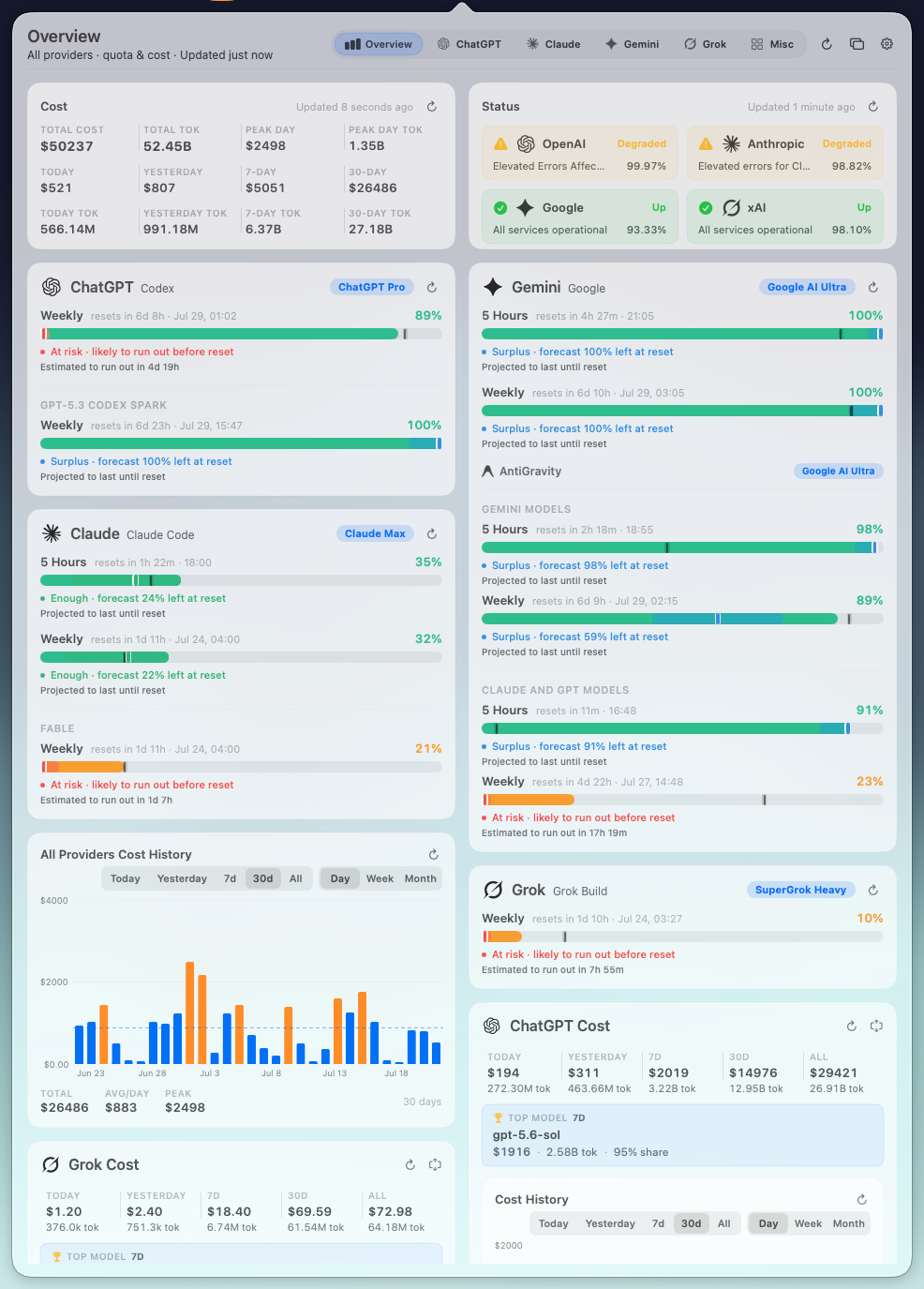
Vibe Bar is a native macOS menu-bar dashboard for subscription quotas, reset forecasts, local token costs, model usage, and provider status.
It brings ChatGPT/Codex, Claude Code, Gemini Web, AntiGravity, Grok, and a growing set of coding-plan providers into one quiet desktop surface.
The questions it answers
Raw quota percentages leave out the two decisions that matter:
- Will this quota last until its next reset? Vibe Bar combines wall-clock pace, recent burn, reset history, workday and hour patterns, and forecast confidence.
- Am I paying for quota I never use? Reset-cycle history makes likely pre-reset waste visible before the window disappears.
At a glance
- Reset-aware quota forecasts with
Learning,Enough,Watch,At risk, andSurplusstates. - Local cost analytics for today, yesterday, 7 days, 30 days, and all time.
- Usage history across daily, weekly, monthly, reset-cycle, yearly, and hour-of-week views.
- Live provider status for OpenAI, Anthropic, Google, and xAI.
- Two floating layouts for a roomy gauge view or a compact always-visible window.
- Local-first storage with no Vibe Bar account, telemetry, or hosted analytics backend.
Where to begin
- Install Vibe Bar and complete the first-run checks.
- Use the Settings reference to choose refresh, display, providers, and retention.
- Learn how to read the dashboard, then review the cost and forecast model.
- Configure core providers and any Misc providers you use.
- Understand the privacy and local-data model, and keep the troubleshooting guide nearby.
Source of truth
The app and its public product README live in the AstroQore/vibe-bar repository. Provider contracts can change, so current app behavior and repository notes take priority over old screenshots or third-party guides.