
OpenAIAll Systems Operational
99.97%uptimeVibe Bar is a native macOS menu-bar app for people who run coding agents all day. Quota forecasts, local token cost, and service status for ChatGPT, Claude, Gemini and Grok — plus usage cards for twenty more providers. No dashboard required.
macOS · Apple Silicon · ~6 MB
Click through the same surfaces Vibe Bar uses on macOS: the tabbed popover with all six pages, the floating mini window, and settings. The numbers are staged, but the interaction model is real.
 Vibe Bar
All providers · quota & cost · Updated just now
Captured from the running app — the same popover, mini window and settings you get after installing.
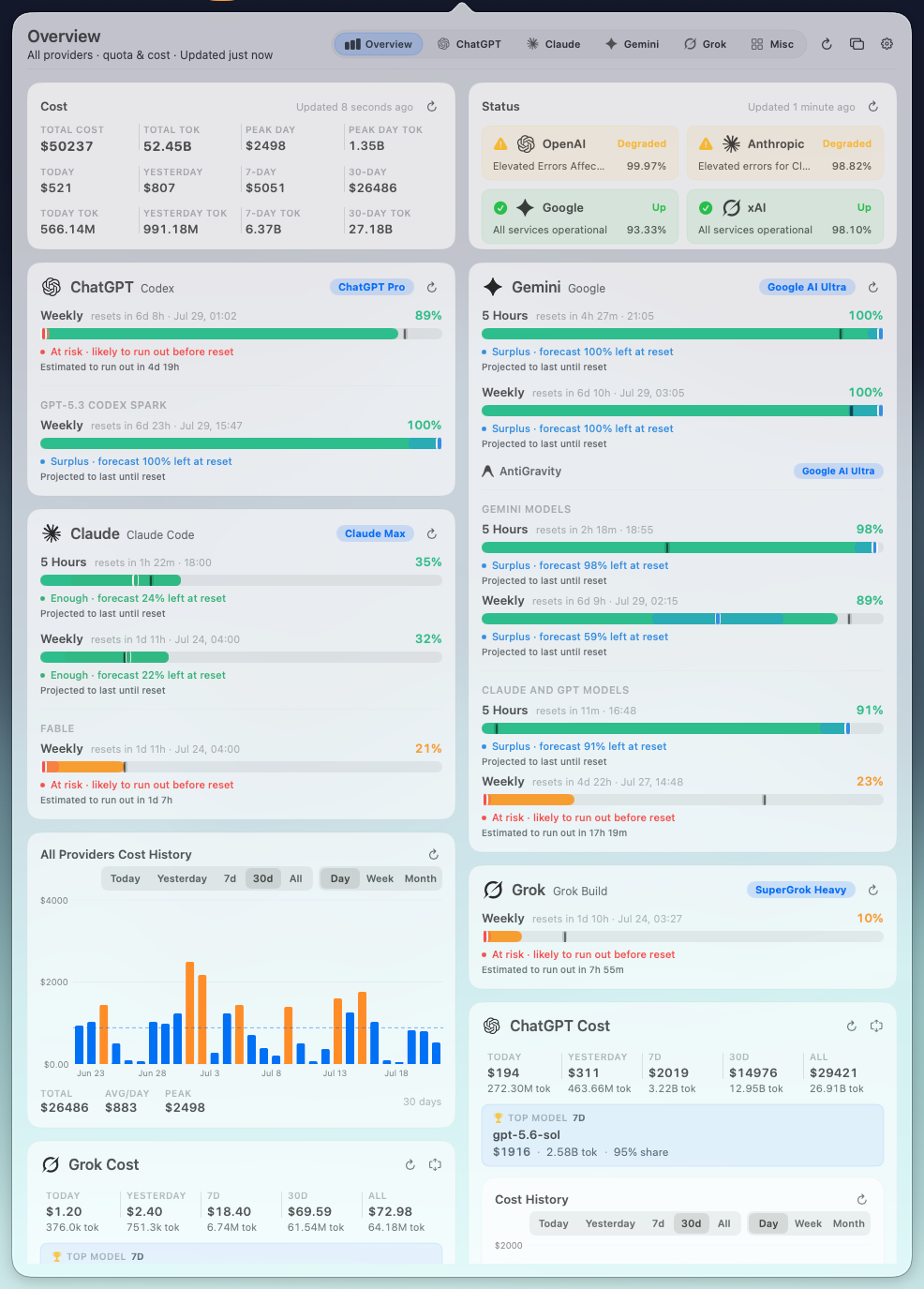
Live local data — quota forecasts, cost, model rankings, heatmaps and service status — pulled straight from your CLI session logs and provider quotas.
Every window gets a personal forecast — time-only pace vs. projected-at-reset, with a confidence label — so you know whether you'll run out before the reset, days ahead.
Computed from your own session logs — never sent anywhere.
Contribution-style heatmap of your actual coding-agent activity — spot the streaks, spot the slumps.
Same-day, hour-by-hour pace. See the spike, then trace it back.
Which model ate your tokens this week.
Daily totals with average and peak — see the surge before payday hits.
168 cells of when you actually use coding agents — find your real working hours.
Pulled live from all four providers' status pages — per-component 90-day uptime stripes included.

ChatGPT, Claude, Gemini and Grok each get a full detail page — quota forecasts, cost, rankings, heatmaps, service status. Twenty more providers show up as usage-only cards in the Misc tab.
Usage-only cards — sign in or paste a key. 5-hour / weekly / monthly windows with reserve & deficit pacing.
 Copilot
 Cursor
 Kimi
Kimi Zhipu GLM
 MiniMax
 Bailian
 Volcengine
 Tencent Hunyuan
 Baidu Qianfan
 Xiaomi MiMo
 iFlytek Spark
 OpenCode Go
 Ollama
 OpenRouter
 Kilo
Kilo Kiro
Kiro Warp+ more
Vibe Bar reads your local CLI credentials and session JSONL logs — read-only. It never touches the originals. Derived cost and token history stays under ~/.vibebar/, with retention controls and a one-click clear.
SwiftPM-native. The packaging script builds the executable, assembles .build/Vibe Bar.app, and ad-hoc signs the bundle for local use.
Parsers, settings, pricing, privacy persistence, usage utils.
swift testDefault release. Pass debug for a debug build.
./Scripts/build_app.shApp icon copied in, ad-hoc signed, ready to live in the menu bar.
open ".build/Vibe Bar.app"Open source, local-first, and built for developers who run two agents at once. Star the repo, build it from source, send a PR.